

The short answer
Build your list once in Dete by Discount Trolley, then send it to the store's own online trolley. Open My Lists, tap Checkout, tap Online, pick the store, check the items and tap Send.
Then you check out and pay on the store's own site or app, like you already do. Discount Trolley does not place the order and does not take payment.
Send online works with Coles, Woolworths, Priceline, Chemist Warehouse, IGA and Harris Farm. It does not work with ALDI.
Send your list in five steps
These are the same steps as the screens below, from the app on an iPhone.
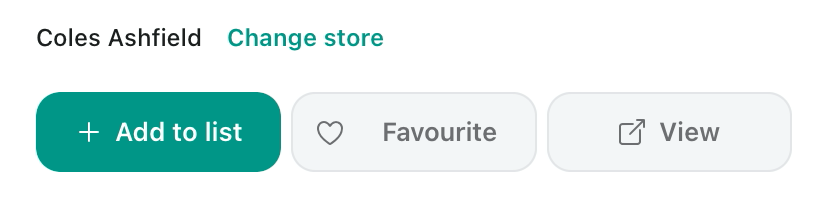
- Open a grocery item. Tap Add to list.
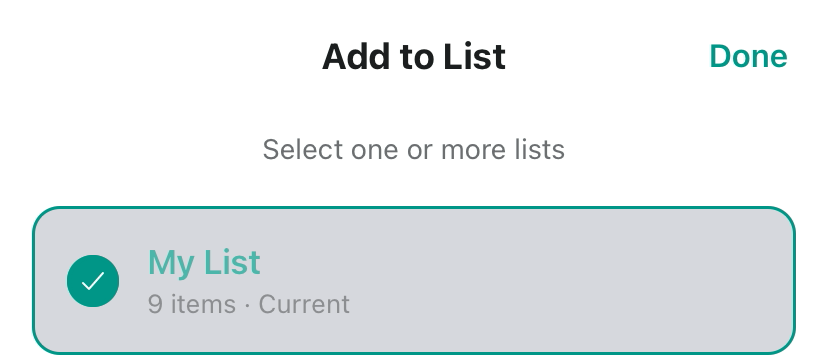
- Pick your list. Tap Done.
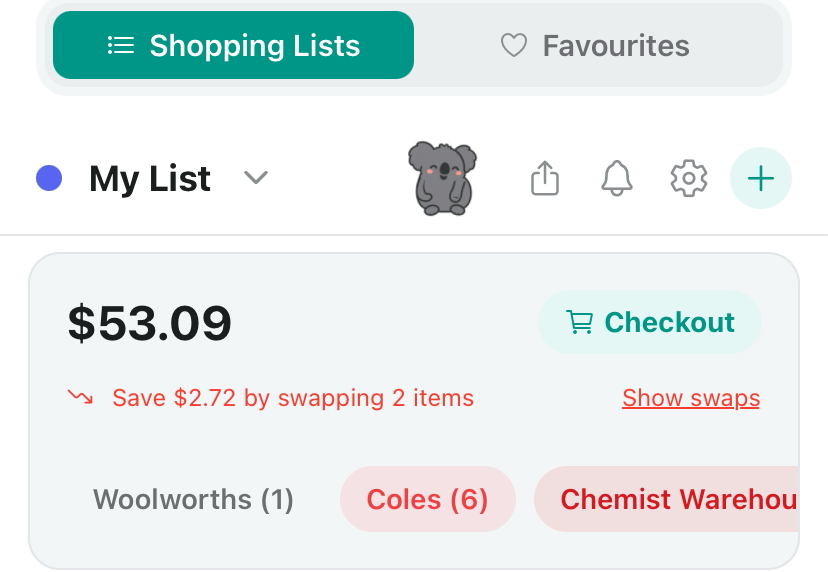
- Open My Lists. Tap Checkout.
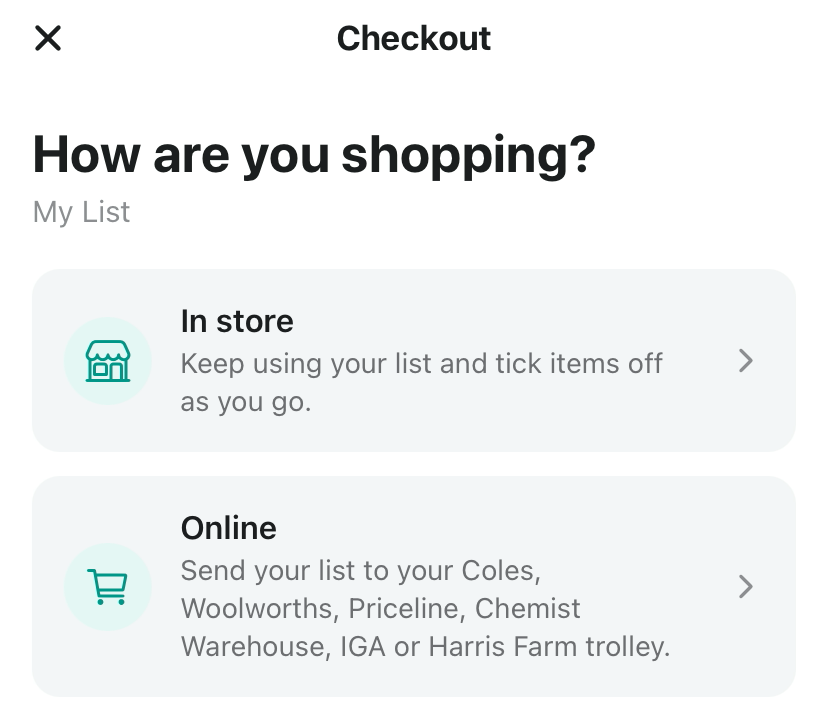
- Tap Online.
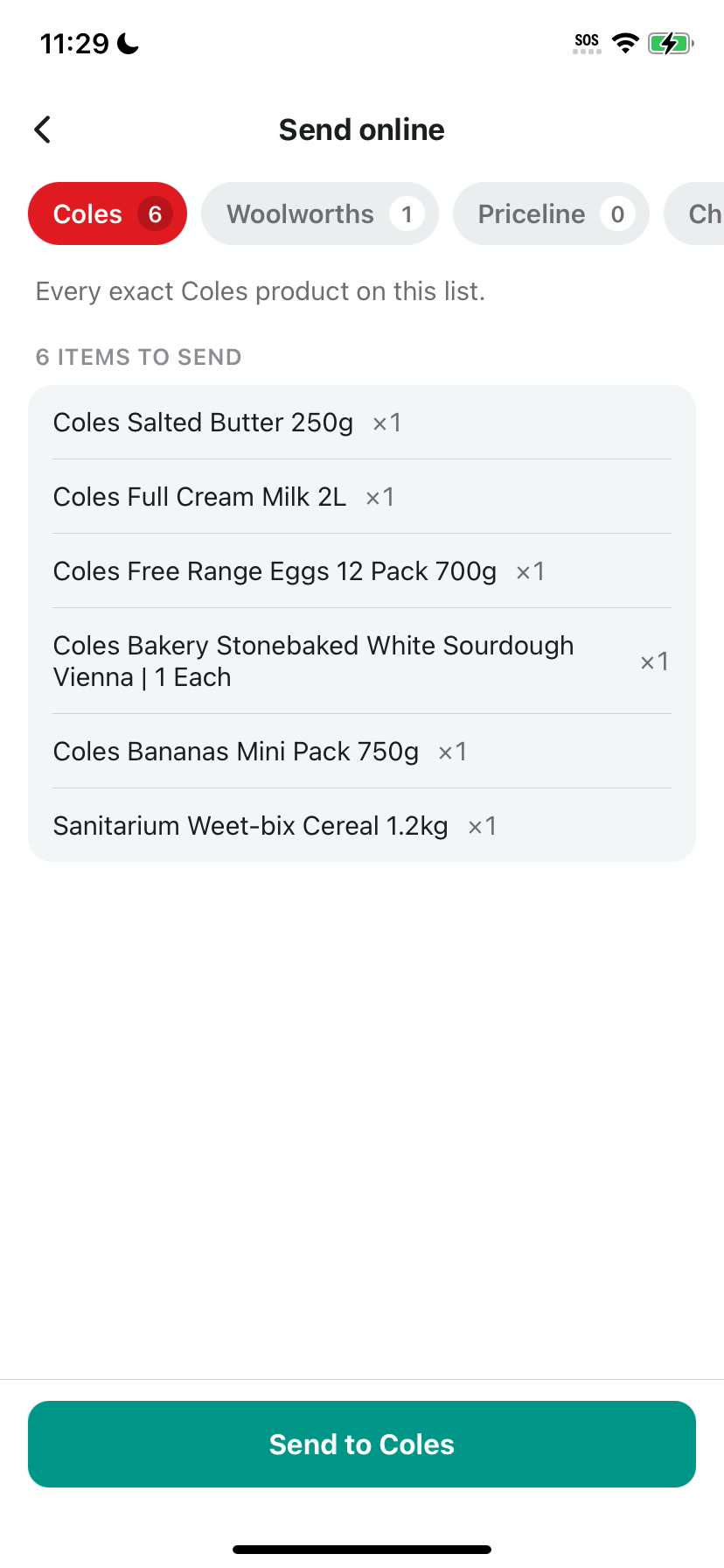
- Pick the store, check the items, then tap Send.
Step 1: Add a grocery item to your list
Search for something you buy and open it. On the product page, under the store name, tap Add to list.
Do this for each item you want in the online trolley. Your list can hold items from more than one store.
Step 2: Pick your list and tap Done
A sheet called Add to List opens. Tick the list you want, then tap Done at the top right. You can tick more than one list if you keep a few.
Step 3: Open My Lists and tap Checkout
Tap My Lists at the bottom of the screen. Your list shows a total at the top, with a Checkout button beside it.
Under the total, a chip for each store shows how many of your items are from that store. Tap Checkout.
Step 4: Tap Online
The app asks: How are you shopping? Tap Online to send your list to a store.
Going to the shops instead? Tap In store to keep using your list and tick items off as you go.
Step 5: Pick the store, check the items, tap Send
The Send online screen has a tab for each store, with a count of the items from your list. Pick the store you shop with online.
Read the items to send before you tap. In our example, Coles had 6 items to send. Then tap the Send button, which names the store, such as Send to Coles.
Your items go to that store's own online trolley. Then check out and pay on the store's own site or app, like you already do. Discount Trolley does not place the order.
Tips before you tap Send
- Read the item count on the store tab and check each item before you tap Send.
- Got items from another store too? Pick that store's tab and check its items.
- Check out and pay on the store's own site or app. Discount Trolley does not take payment.
- Check the items and prices in the store's trolley before you pay. The shelf can differ from the screen.
- Shopping at ALDI? Send online is not for ALDI. Use the In store option and tick items off as you go.
More app guides
New to the app? Start with how to use Discount Trolley before your weekly shop, then browse all the app guides.
We make Dete by Discount Trolley. Search for Dete on the App Store to get the app. Free to try on the App Store.
- All app guides
- How to read Dete's when-to-buy signs
- How to check a product's health rating
- How to add Dete widgets to your Home Screen
- How to use Discount Trolley before your weekly shop
Questions shoppers still ask
Does Discount Trolley place the order?
No. Discount Trolley does not place the order and does not take payment. It sends your list to the store's own online trolley. You check out and pay on the store's own site or app, like you already do.
Does Send online work with ALDI?
No. Send online works with Coles, Woolworths, Priceline, Chemist Warehouse, IGA and Harris Farm. ALDI prices are still in the app for comparing, so you can use your list in store at ALDI and tick items off as you go.
Which stores can I send my shopping list to?
You can send your list to Coles, Woolworths, Priceline, Chemist Warehouse, IGA or Harris Farm. The Online option in Checkout names the same stores.
Where do I pay for my groceries?
You pay the store on its own site or app, the way you already do. Discount Trolley never takes payment for your groceries.
What if my list has items from more than one store?
Your list can hold items from more than one store. On the Send online screen, each store has its own tab with a count of your items from that store. Pick the store you want, check its items, then tap Send.
Can I still use my list in the shop?
Yes. In Checkout, tap In store to keep using your list and tick items off as you go.
Woolworths, Coles, ALDI, IGA, Harris Farm, Priceline and Chemist Warehouse where data is available. Not affiliated with those stores. The shelf can differ from the screen. Live prices need a connection.

Build your list in Dete by Discount Trolley, then send it to your store's online trolley.
Keep one list, compare prices across stores, and send it to Coles, Woolworths, Priceline, Chemist Warehouse, IGA or Harris Farm when you shop online. Search for Dete on the App Store.
- One list for the whole shop
- Send online to six stores
- You pay the store, the way you already do