

After more protein in your trolley?
After more protein in your trolley? Set your goal once in Profile and Home finds the picks for you. Health Nut works the same way for healthier picks.
You set the goal under What you're after on your Profile. There are three to choose from: Deal Hunter, Health Nut and Protein Hunter. You can pick more than one.
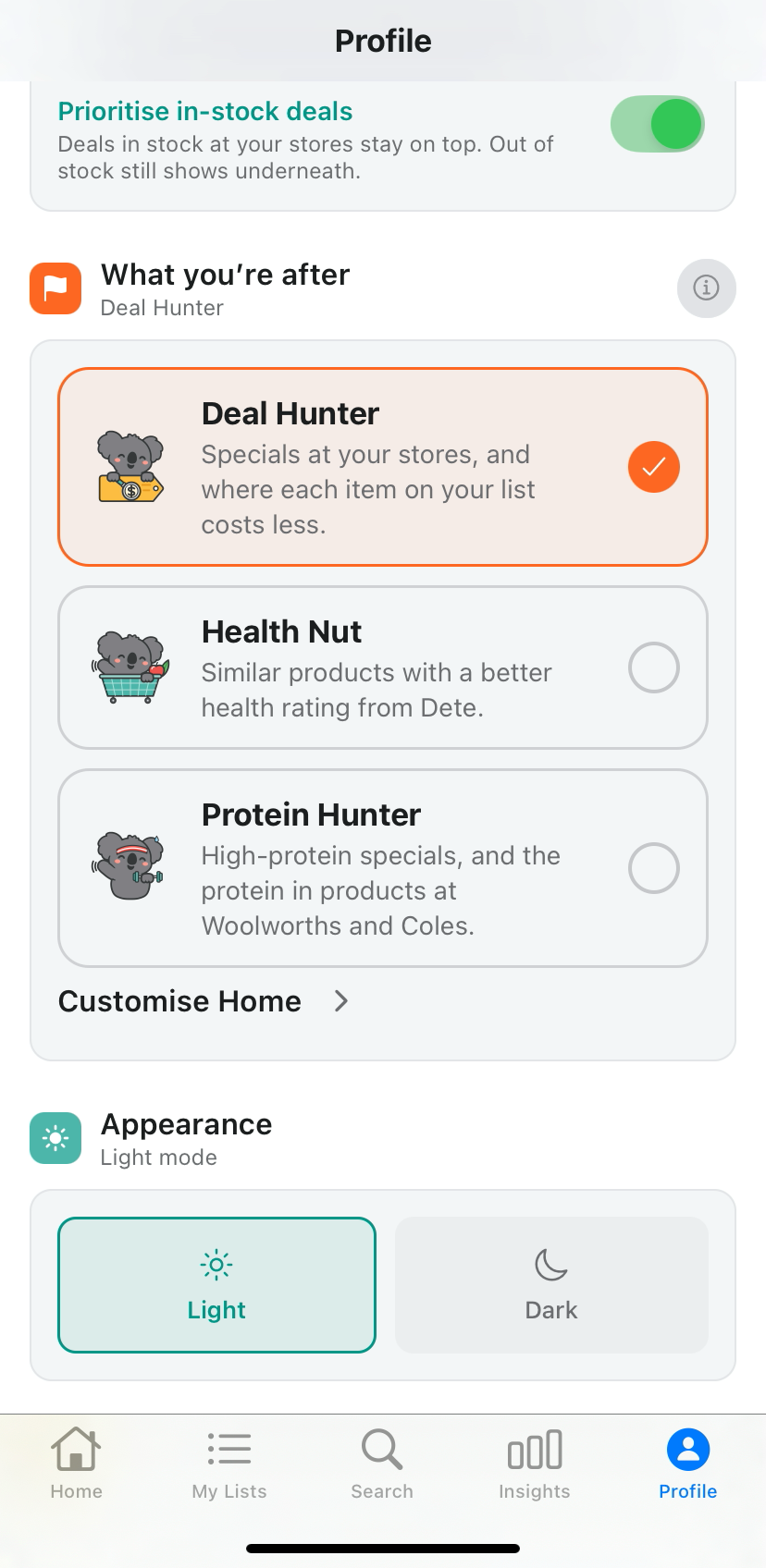
Step 1. Tap Profile
Tap Profile and scroll down to What you're after. You will see the three goals as cards.
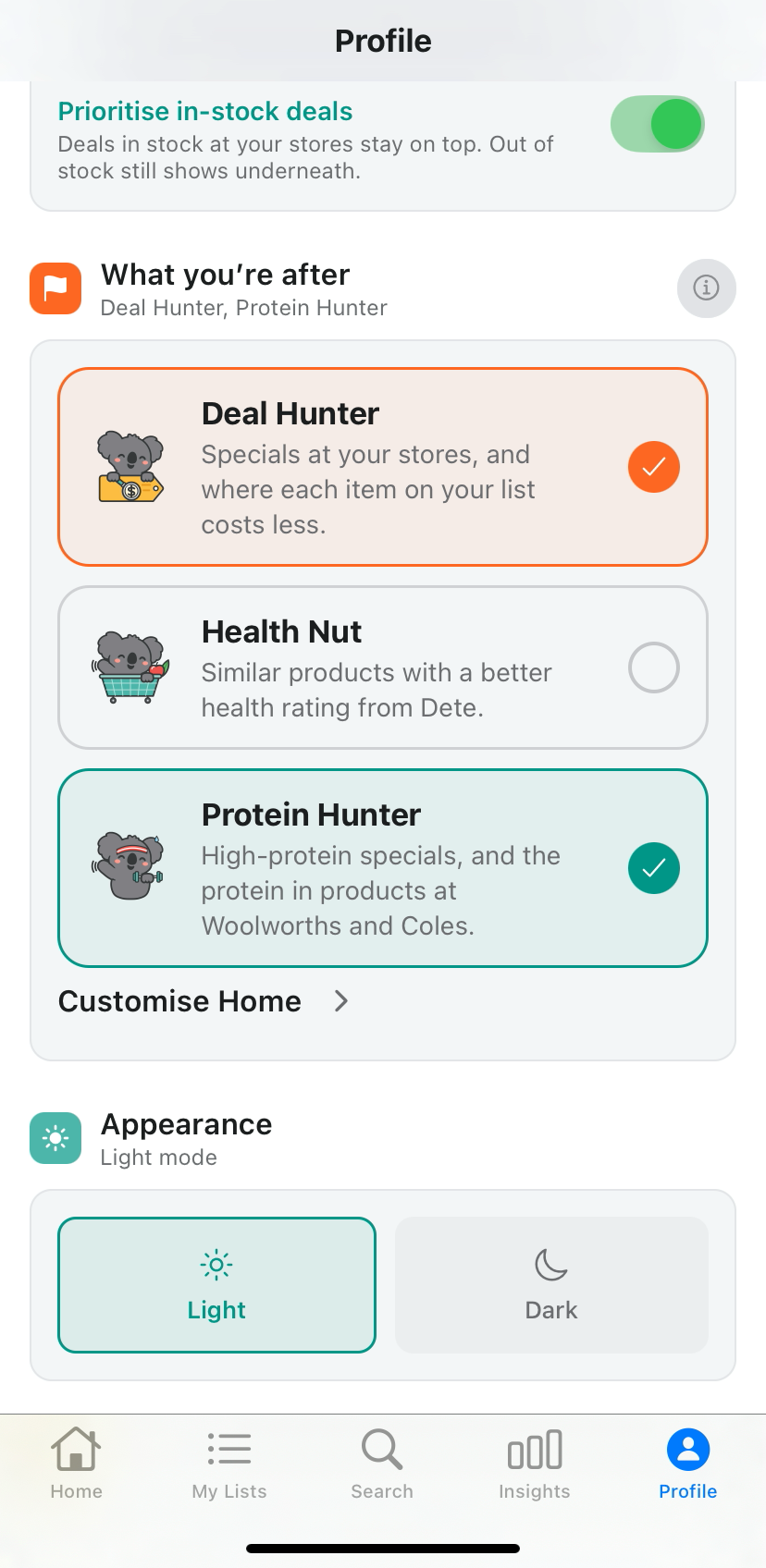
Step 2. Tap Protein Hunter
Tap Protein Hunter. You can keep Deal Hunter on too.
The heading under What you're after then reads Deal Hunter, Protein Hunter.
Step 3. Open Home
Tap Home. High-protein specials now sit up top, with protein per 100g on the cards.
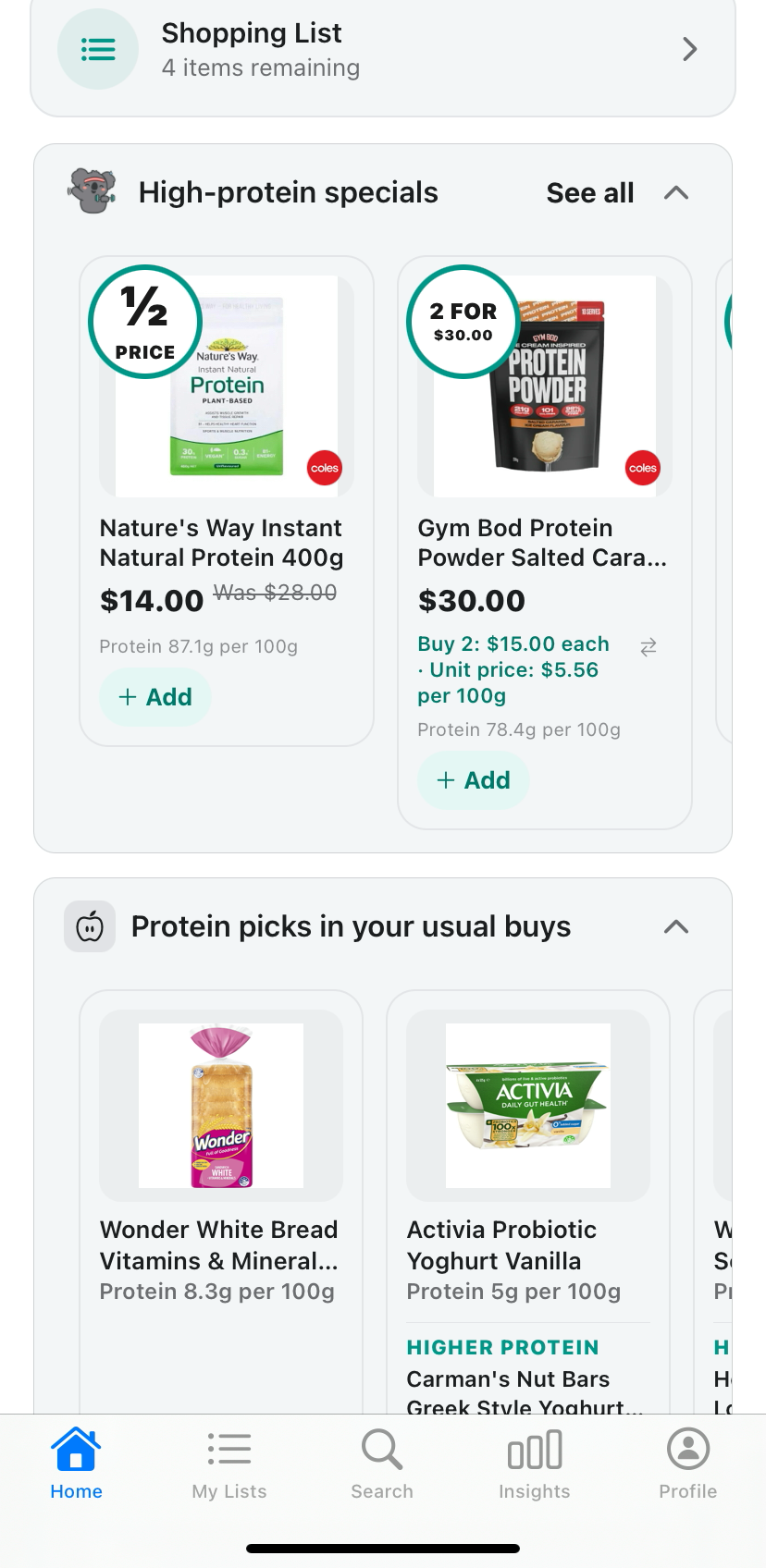
Step 4. Scroll for a higher-protein swap
Scroll down. Protein picks in your usual buys shows a higher-protein swap under some of your usual items, with protein per 100g on each card.
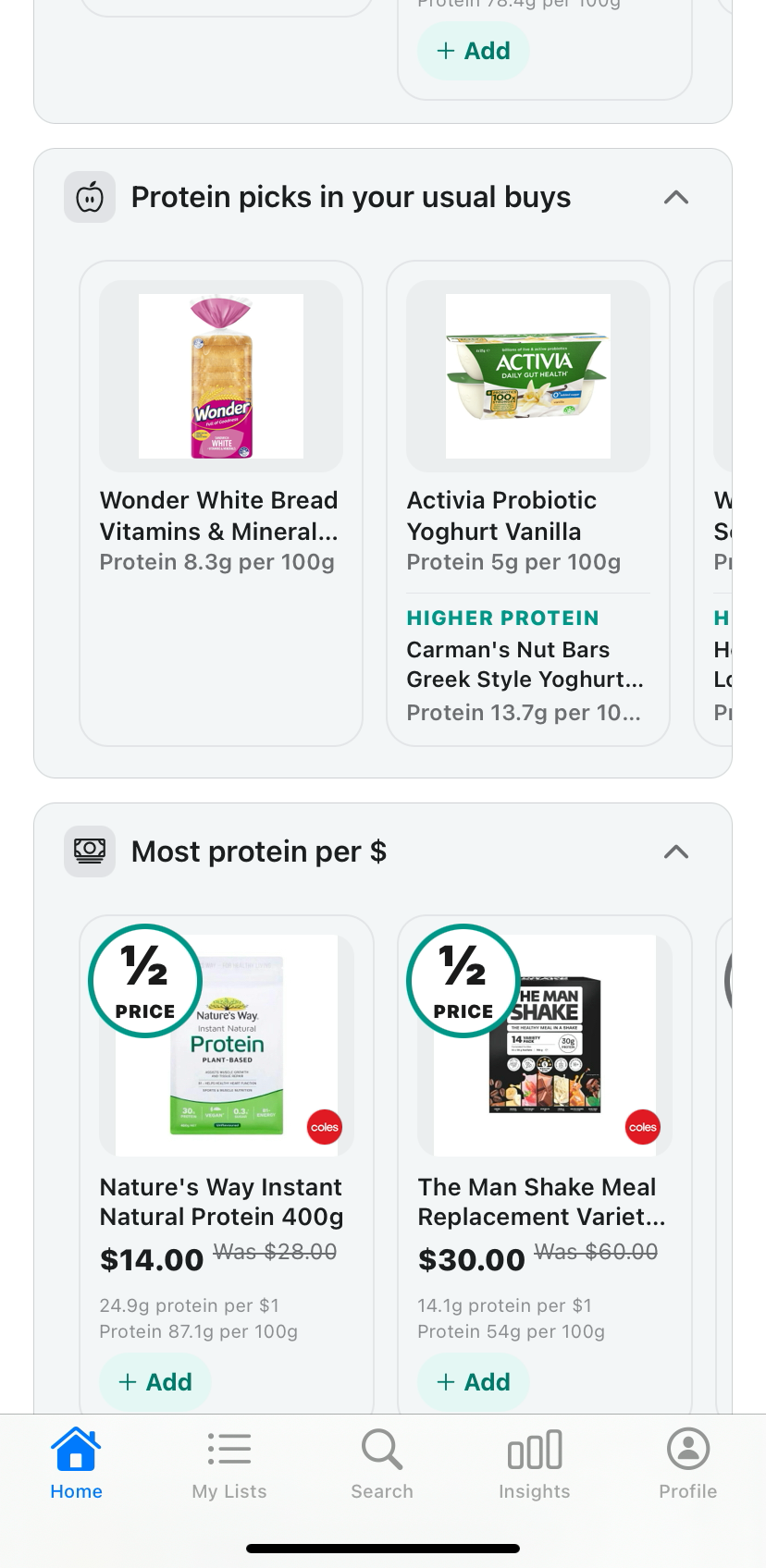
On the screen from 12 November 2026, Activia Probiotic Yoghurt Vanilla shows Protein 5g per 100g, and a HIGHER PROTEIN swap to Carman's Nut Bars Greek Style Yoghurt at Protein 13.7g per 100g.
Keep scrolling and you will also see Most protein per $, with protein per dollar on the cards.
Want healthier picks?
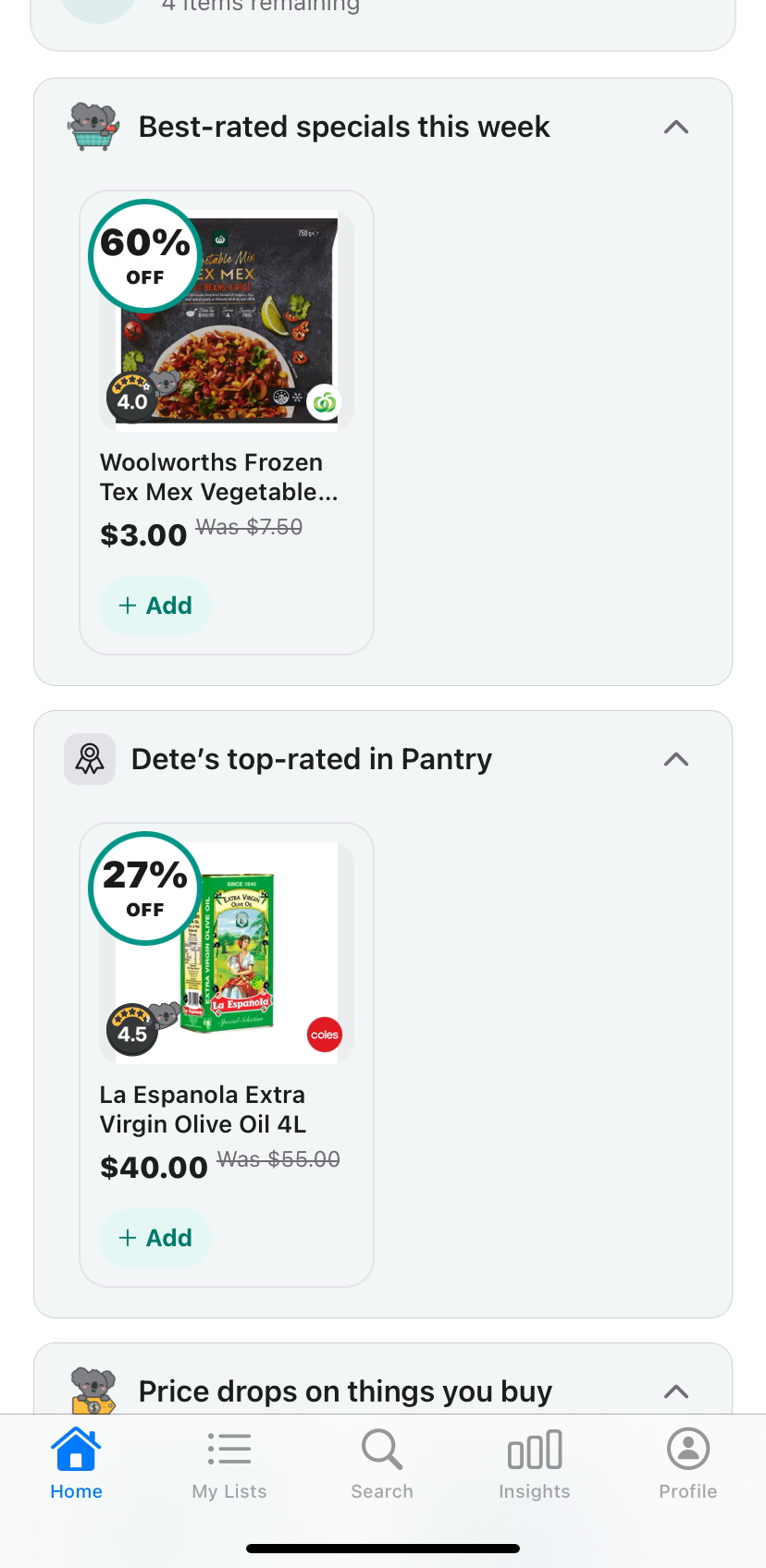
Want healthier picks? Tap Health Nut instead. Home leads with Best-rated specials this week, and Dete's top-rated in Pantry.
The badges on those cards are Discount Trolley's own health rating. It's Discount Trolley's own rating, not endorsed by FSANZ, the NHMRC, the TGA or the Australian Government, and a guide, not medical or dietary advice.
For how to open the rating and see what raises or lowers it, see how to check a product's health rating.
What to keep in mind
Protein per 100g shows on Home cards, on Woolworths and Coles products. It does not show on Product Details.
Pick your goal. Let Home do the looking. Change your goal any time in Profile.
On an older version? Update to the latest Dete first. Search Dete on the App Store.
Prices in the screenshots are from the app on 12 November 2026. Prices move, and the shelf can differ from the screen.
More Dete guides
Find every step-by-step guide on the Dete guides page.
Get Dete
Dete by Discount Trolley is free to try on the App Store. Search Dete, open Profile, and set your goal.
Questions shoppers still ask
How do I set my shopping goal in Dete?
Tap Profile and scroll down to What you're after. Tap Protein Hunter, Health Nut, or both. You can keep Deal Hunter on too. Then tap Home to see picks that match.
What shopping goals can I pick?
There are three: Deal Hunter, Health Nut and Protein Hunter. You can pick more than one at the same time.
Where does protein per 100g show?
On Home cards, for Woolworths and Coles products. It does not show on Product Details.
What does Health Nut change on Home?
Home leads with Best-rated specials this week, and Dete's top-rated in Pantry. The badges are Discount Trolley's own health rating.
Is the health rating medical advice?
No. It's Discount Trolley's own rating, not endorsed by FSANZ, the NHMRC, the TGA or the Australian Government, and a guide, not medical or dietary advice. Protein per 100g is the figure on the Home card, not dietary advice.
Are the prices in this guide current?
They are from the app on 12 November 2026. Prices move, and the shelf can differ from the screen. Live prices need a connection.
Which stores does Dete show prices from?
Woolworths, Coles, ALDI, IGA, Harris Farm, Priceline and Chemist Warehouse where data is available. Dete is not affiliated with those stores. Protein per 100g on Home cards is for Woolworths and Coles products.
Woolworths, Coles, ALDI, IGA, Harris Farm, Priceline and Chemist Warehouse where data is available. Not affiliated with those stores. The shelf can differ from the screen. Live prices need a connection.

Set your shopping goal in Dete.
Pick Protein Hunter or Health Nut in Profile, and Home finds the picks for you. Free to try on the App Store.
- Protein Hunter and Health Nut in Profile
- Protein per 100g on Home cards for Woolworths and Coles
- Search Dete on the App Store